Choosing writing software is rarely about finding the tool with the longest feature list.
It is about finding the workflow that fits the way you actually write.
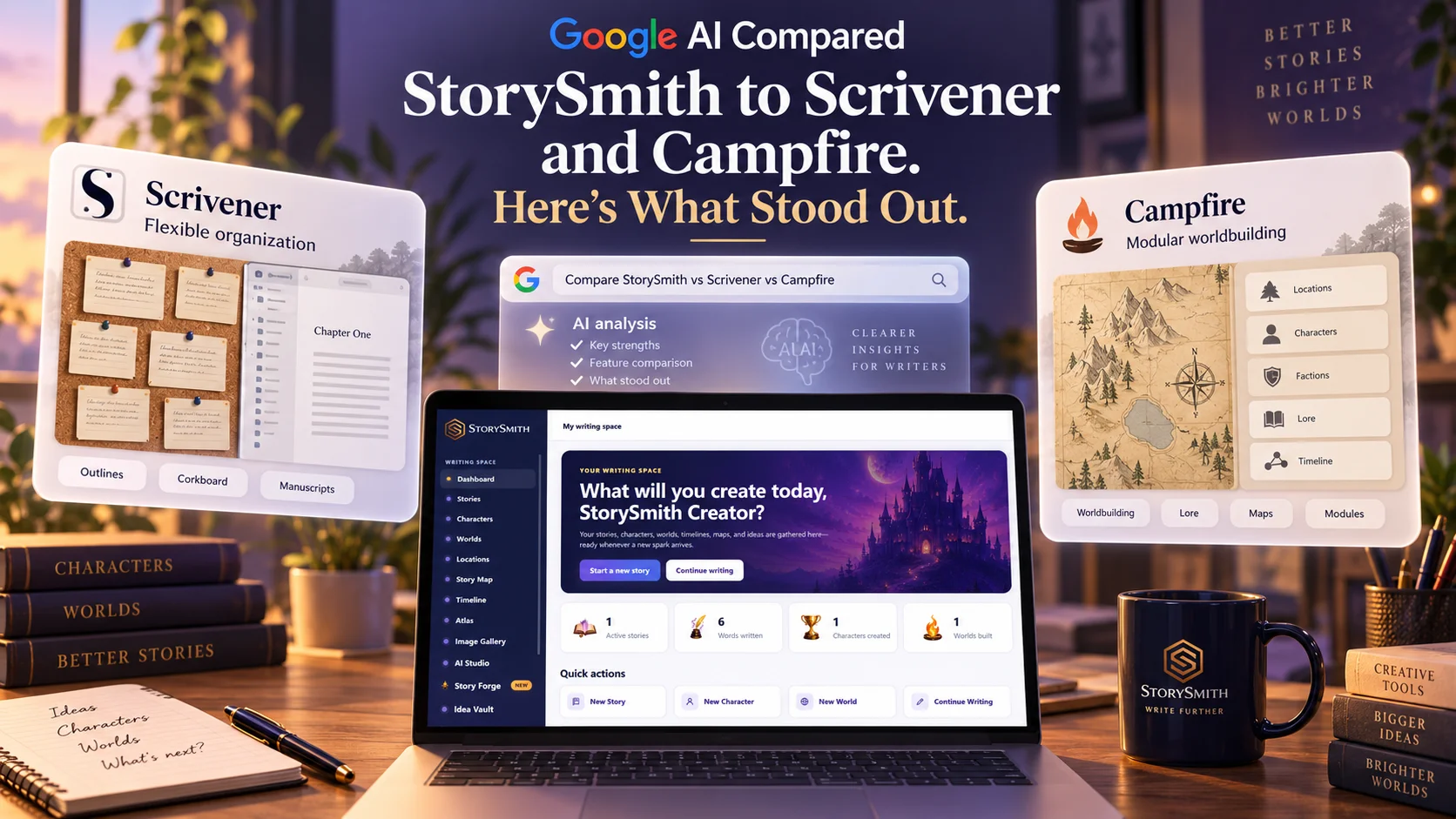
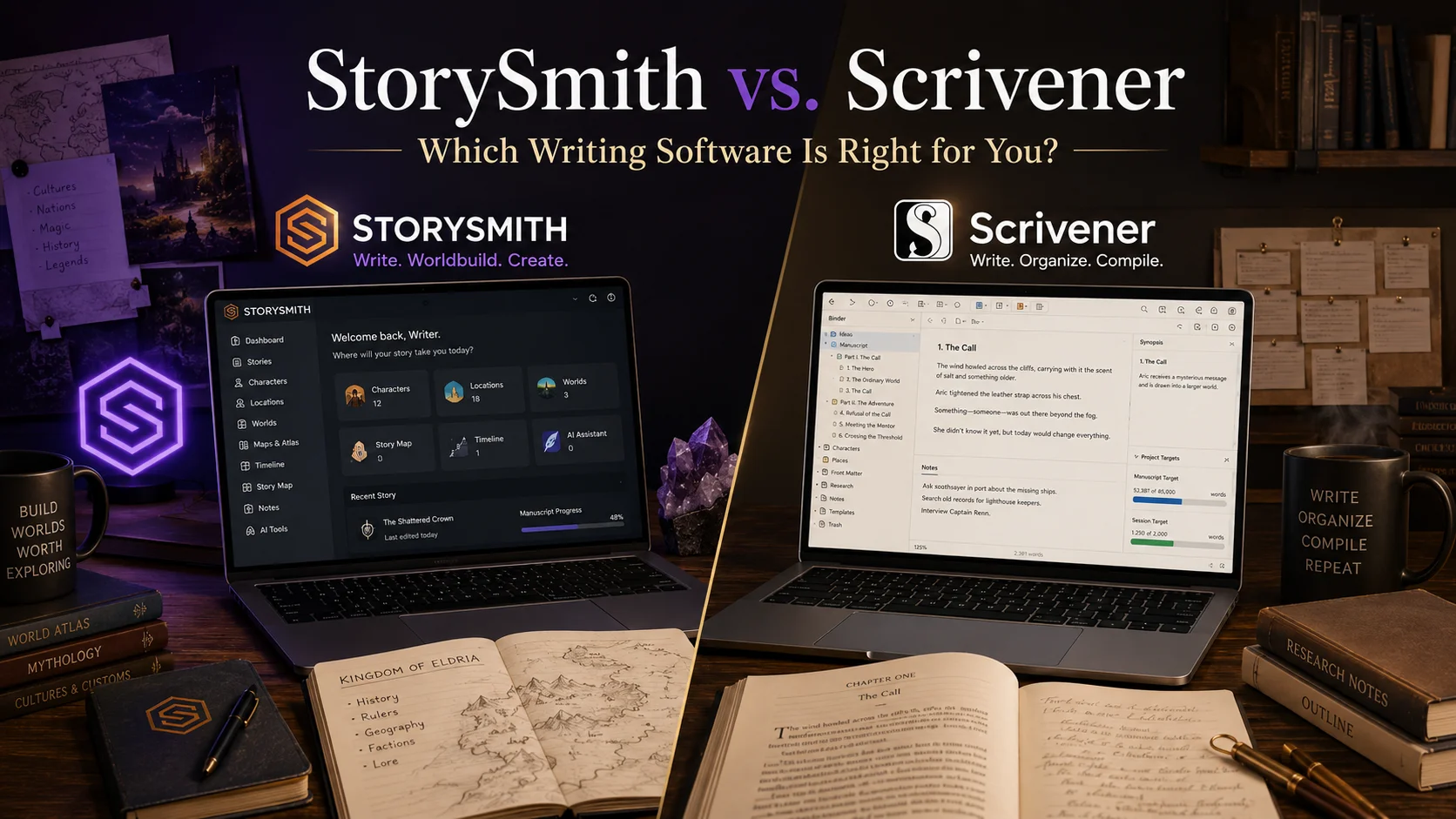
Scrivener has been one of the best-known long-form writing applications for years. It was built around the idea that large writing projects are easier to manage when manuscripts, research, notes, outlines, and supporting material can live together inside one project. Its Binder, Corkboard, and Outliner give writers different ways to organize and rearrange complex work, while its Compile system provides extensive control over how a finished manuscript is exported.
StorySmith approaches the writing process from a different direction.
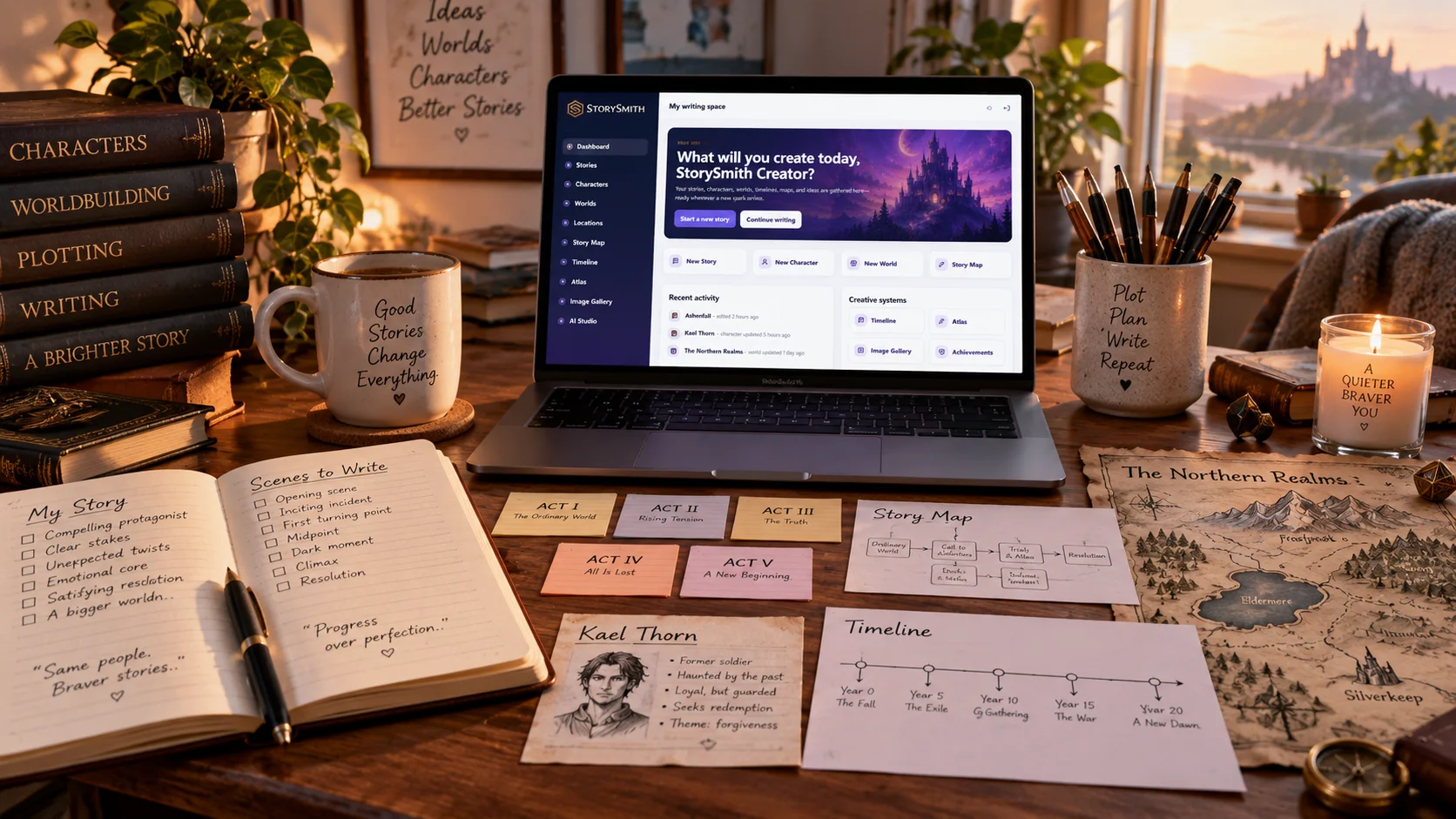
Rather than primarily giving writers a flexible container for documents and research, StorySmith connects manuscript writing with dedicated systems for characters, worlds, locations, timelines, story planning, visual development, AI-assisted creative support, collaboration, and publishing preparation.
Neither approach is inherently better for every writer.
The real question is:
Do you want a highly flexible long-form writing environment that you configure around your own process, or a more structured creative workspace where the major pieces of fiction development are already connected for you?
That is where StorySmith and Scrivener begin to separate.
StorySmith vs Scrivener at a Glance
| Feature | StorySmith | Scrivener |
|---|---|---|
| Manuscript writing | Yes | Yes |
| Chapter/scene organization | Yes | Yes |
| Corkboard-style visual planning | Story Map and Timeline tools | Yes |
| Outlining | Yes | Yes |
| Dedicated character system | Yes | Templates/documents can be used |
| Dedicated worldbuilding system | Yes | Can be built manually with project materials |
| Dedicated locations | Yes | Can be organized manually |
| Interactive maps | Yes | No dedicated integrated world-map system |
| Timeline system | Yes | Planning can be handled through documents/metadata, but no equivalent dedicated story timeline |
| AI writing assistance | Integrated | No built-in Scrivener AI |
| AI image generation | Integrated | No |
| Collaboration | Built-in story collaboration | Primarily individual project workflow |
| Parent/family controls | Yes | No |
| Creative-learning tools | Writing Academy | No |
| Publishing preparation | Publisher Studio + exports | Powerful Compile/export system |
| Browser based | Yes | No |
| Desktop application | Web application | macOS and Windows |
| Mobile | Web access; additional StorySmith writer experience planned | Native iOS/iPadOS app |
| Pricing model | Subscription / Founder lifetime option | Perpetual per-platform licence |
Scrivener's current licensing is perpetual per platform and per major version rather than subscription-based. Literature & Latte currently lists Scrivener at $59.99 for macOS or Windows, with separate licences required for each platform; iOS is $23.99. Mac and Windows users can also cross-grade at a discount. The macOS and Windows versions include a 30-days-of-use trial.
StorySmith uses a different model, with web-based plans designed around a connected writing workspace and optional AI usage.
1. Manuscript Writing
Scrivener is extremely strong at long-form manuscript organization.
At the center of Scrivener is the Binder, which stores folders, manuscript sections, notes, research, and other project materials in a hierarchical structure. Writers can break a novel into chapters, scenes, or much smaller pieces and rearrange those pieces without treating the manuscript as one enormous document.
The same project can also be viewed through Scrivener's Corkboard and Outliner.
The Corkboard presents project sections as index cards, while the Outliner displays those same sections with additional metadata. Changes to structure are reflected across the Binder, Corkboard, and Outliner, making Scrivener especially useful for writers who like to reorganize their manuscripts visually.
StorySmith also organizes writing into stories and chapters, but the surrounding workflow is different.
The manuscript does not sit apart from the rest of the fictional project. Characters, worlds, locations, notes, timelines, and story-planning tools are designed as their own connected systems.
The practical difference
Scrivener asks:
How would you like to organize this writing project?
StorySmith asks:
What are you creating, and how do the pieces of that story connect?
For writers who enjoy designing their own organizational system, Scrivener's flexibility is a major strength.
For writers who prefer purpose-built fiction tools already waiting for them, StorySmith may require less manual setup.
2. Characters
This is one of the larger philosophical differences between the two platforms.
Scrivener can absolutely be used for character development.
Writers can create character sheets, use templates, store notes, attach metadata, create folders, and organize character research however they choose. That flexibility is part of Scrivener's appeal.
But Scrivener does not fundamentally treat a character as a specialized structured object within the application.
A character is generally something the writer builds using Scrivener's flexible document and organizational tools.
StorySmith has a dedicated Character Builder.
Instead of beginning with a blank note or designing a character template from scratch, writers can build structured character profiles, relationships, details, visual references, and other information specifically around fictional characters.
Characters can then remain connected to the larger creative project.
StorySmith can also generate visual character artwork from information supplied by the writer.
Which approach is better?
If you already know exactly how you like to document characters and want complete freedom to build your own system, Scrivener's flexibility may be preferable.
If you want a dedicated character-development environment instead of constructing one yourself, StorySmith provides that structure out of the box.
3. Worldbuilding and Locations
Scrivener is capable of holding an enormous amount of worldbuilding information.
You can create folders for kingdoms, cities, magic systems, cultures, histories, religions, maps, images, research documents, and anything else your fictional world requires.
And because Scrivener is intentionally flexible, writers can organize all of that however they want.
But again, the difference is general-purpose organization versus purpose-built systems.
StorySmith treats Worlds and Locations as dedicated parts of the application.
A writer can build a fictional world, develop its lore, create locations within it, generate imagery, and connect those places to the writing project.
StorySmith's Atlas and mapping tools go another step further by giving writers a visual environment for placing and navigating fictional locations.
That creates a different experience from simply storing a map image or location notes alongside the manuscript.
Scrivener may suit you if:
You want to decide exactly how your worldbuilding system should be structured.
StorySmith may suit you if:
You want the software itself to understand that a world, a location, and a character are different creative elements with different kinds of information.
4. Story Planning
Scrivener has excellent planning tools.
Its Binder, Corkboard, Outliner, synopses, labels, custom metadata, collections, and document structure allow writers to create extremely sophisticated planning systems.
This is one reason Scrivener has remained popular for complex manuscripts.
StorySmith instead provides dedicated planning interfaces such as the Story Map and Timeline.
The distinction is subtle but important.
Scrivener gives you flexible components from which you can construct a planning methodology.
StorySmith gives you planning tools built specifically around story relationships and chronology.
A writer who loves customizing metadata, statuses, labels, folder systems, and index cards may get enormous value from Scrivener.
A writer who wants to open a timeline and begin placing story events without first designing the system may prefer StorySmith.
5. AI Assistance
This is one of the clearest differences.
Scrivener itself does not contain built-in AI.
On supported Macs, Scrivener can expose Apple's system-level Apple Intelligence Writing Tools for things such as proofreading, summarizing, and rewrite suggestions, but Literature & Latte explicitly notes that those tools come from Apple and that Scrivener itself contains no AI.
StorySmith has integrated AI assistance through Quill and its other creative tools.
Depending on the task and user permissions, AI can assist with areas such as:
brainstorming
rewriting
grammar
character development
worldbuilding
creative prompts
image generation
The important distinction in StorySmith's design is that AI is meant to assist the writer rather than silently replace the writer's work.
Suggestions are presented for review, and the writer remains responsible for the creative decisions.
If you do not want AI in your writing software
Scrivener may actually be attractive precisely because AI is not central to the application.
If you want AI available inside the same environment
StorySmith provides that directly rather than requiring you to move between your writing software and separate AI tools.
6. Research and Reference Material
This is an area where Scrivener is particularly mature.
Scrivener was designed to let writers keep research close to the manuscript. Documents, images, PDFs, notes, and other reference material can live inside the project so writers can move between research and drafting without leaving the application.
That makes it useful well beyond fiction.
Scrivener is used by novelists, academics, journalists, screenwriters, biographers, lawyers, students, and many other long-form writers.
StorySmith is more deliberately centered around creative writing and story development.
That focus allows StorySmith to provide specialized fiction systems, but writers doing heavily research-driven nonfiction, academic work, or document-heavy projects may find Scrivener's general-purpose research environment especially useful.
This is one area where the answer depends heavily on what you write.
7. Collaboration
Scrivener is primarily built around the individual writer and a local project.
StorySmith includes a built-in collaboration workflow designed around shared stories.
A story owner can invite another writer to collaborate while retaining ownership and control of the project. Collaborators can work with shared story assets such as characters, worlds, locations, and other connected materials.
StorySmith also uses chapter-editing protections to reduce accidental overwriting when multiple writers are working in the same project.
For a solo novelist, that difference may not matter at all.
For co-authors, writing partners, or collaborative storytelling projects, it can matter considerably.
8. Families and Younger Writers
This is an area where the products are simply designed for different audiences.
Scrivener is professional long-form writing software. It does not attempt to function as a parent-managed creative-learning environment.
StorySmith supports monitored writing profiles and family accounts with features such as:
configurable AI permissions
writing-time controls
progress tracking
achievement systems
parent visibility appropriate to monitored profiles
Writing Academy lessons
typing practice
learning milestones
For an adult novelist who has no need for these features, they may be irrelevant.
For a family that wants children to use technology creatively while retaining reasonable oversight, they are a significant difference.
This is one reason comparing only the number of writing features misses part of StorySmith's purpose.
9. Publishing and Export
Scrivener's Compile system is one of its best-known strengths.
Compile lets writers choose which manuscript sections to include and control how those sections are transformed into finished output. Scrivener supports a wide range of export and publishing workflows, including formats used for word processing and ebooks. Its Compile system is highly configurable and can be very powerful once a writer understands it.
StorySmith approaches publishing preparation through Publisher Studio.
Publisher Studio is designed to help writers move from the creative project into formatted manuscript output without separating that process entirely from the rest of the story environment.
StorySmith supports exports including PDF, DOCX, and print-oriented formats, with controls for elements such as trim size, typography, margins, chapter styling, illustrations, and other layout choices.
This is not a simple winner/loser comparison.
Scrivener's Compile system is deep and highly customizable.
StorySmith's Publisher Studio is designed to make publishing preparation feel like another connected step in the writing workflow.
A writer who loves granular output configuration may prefer Scrivener.
A writer who wants a more guided book-preparation environment may prefer StorySmith.
10. Desktop Software vs Web Platform
This difference affects the entire user experience.
Scrivener is installed software.
It is available for macOS, Windows, and iOS/iPadOS. Licences are purchased per platform, and Scrivener's iOS syncing workflow uses Dropbox.
That has advantages.
Writers who prefer locally installed software may value the desktop-first approach and perpetual licence.
StorySmith is web-based.
That means the creative workspace is tied to the StorySmith account rather than a particular desktop installation, making it easier to move between supported devices through a browser.
Some writers strongly prefer installed local software.
Others prefer a cloud-based workspace.
That choice alone may determine which platform feels more natural.
11. Pricing Philosophy
The pricing models are fundamentally different.
Scrivener uses perpetual licences.
Literature & Latte currently lists Scrivener at $59.99 for macOS or Windows. A licence covers that platform and major version indefinitely, while major future versions may require a paid upgrade if the user chooses to upgrade. Separate platform licences are required, although discounted cross-grades are available.
StorySmith uses ongoing plans because it includes hosted services and AI-powered features whose operation carries continuing infrastructure costs.
That makes the decision partly philosophical.
If you strongly prefer buying software once and continuing to use that version for years, Scrivener has a compelling model.
If you value an evolving hosted platform with connected AI, collaboration, family features, and continuing cloud functionality, StorySmith's subscription model may make more sense.
So Which Is Better: StorySmith or Scrivener?
There is no honest answer that says one is universally better.
They are solving overlapping problems with very different philosophies.
Scrivener may be the better fit if you:
want mature long-form manuscript software
enjoy designing your own project structure
value the Binder, Corkboard, and Outliner workflow
want deep Compile/export control
prefer installed desktop software
prefer a perpetual licence instead of a subscription
do not need integrated AI
write academic, nonfiction, screenplay, or other long-form work in addition to fiction
want extensive flexibility over how research and notes are organized
Scrivener has earned its reputation because it gives serious writers an extraordinary amount of control over complex writing projects.
StorySmith may be the better fit if you:
primarily write fiction
want characters, worlds, locations, timelines, and manuscript writing connected
prefer structured creative-development tools instead of building them manually
want integrated world maps and visual story tools
want optional AI assistance inside the writing environment
want AI-generated creative imagery
collaborate with other writers
want publishing preparation integrated into the same workflow
want a browser-based writing environment
are using the platform with children or family members
want creative-learning and parent-control features
StorySmith is designed less like a customizable digital binder and more like a connected creative environment for building a story from idea through publication.
The Biggest Difference Is the Workflow
The most useful way to understand these two platforms may be this:
Scrivener gives writers a remarkably flexible toolbox for organizing a writing project.
StorySmith gives fiction writers a connected system of purpose-built creative tools.
With Scrivener, you decide how characters, locations, research, metadata, notes, scenes, and planning should fit together.
With StorySmith, many of those relationships already exist in the structure of the platform.
Neither philosophy is wrong.
Some writers want maximum flexibility.
Others want the software to provide more structure.
And some writers may even find value in both.
The right choice depends less on which platform has the longest feature list and more on which one matches the way your brain wants to build a story.
Frequently Asked Questions
Is StorySmith an alternative to Scrivener?
Yes, particularly for fiction writers looking for manuscript writing combined with structured character development, worldbuilding, planning, AI assistance, collaboration, and publishing tools. But the workflows differ substantially, so writers who strongly prefer Scrivener's Binder/Corkboard/Outliner system may still prefer Scrivener.
Does Scrivener have AI writing tools?
Scrivener itself does not contain built-in AI. On supported Apple systems it can expose Apple's system-level Apple Intelligence Writing Tools, but Literature & Latte states that those are Apple features rather than AI built into Scrivener.
Does Scrivener have character and worldbuilding tools?
Scrivener can absolutely be used for character development and worldbuilding through templates, documents, folders, metadata, notes, research, and custom project structures. The difference is that these are flexible organizational tools rather than dedicated structured character/world systems like StorySmith provides.
Is Scrivener a subscription?
No. Scrivener uses perpetual licences for a particular platform and major version. Major future upgrades may be paid, but users are not required to upgrade.
Can I try Scrivener before buying it?
Yes. The macOS and Windows versions offer a 30-days-of-use trial. That means only days on which the software is actually used count toward the trial period.
Which is better for worldbuilding?
Writers who want to design their own worldbuilding structure may appreciate Scrivener's flexibility. Writers who want dedicated worlds, locations, imagery, maps, and connected fiction-development tools may prefer StorySmith.