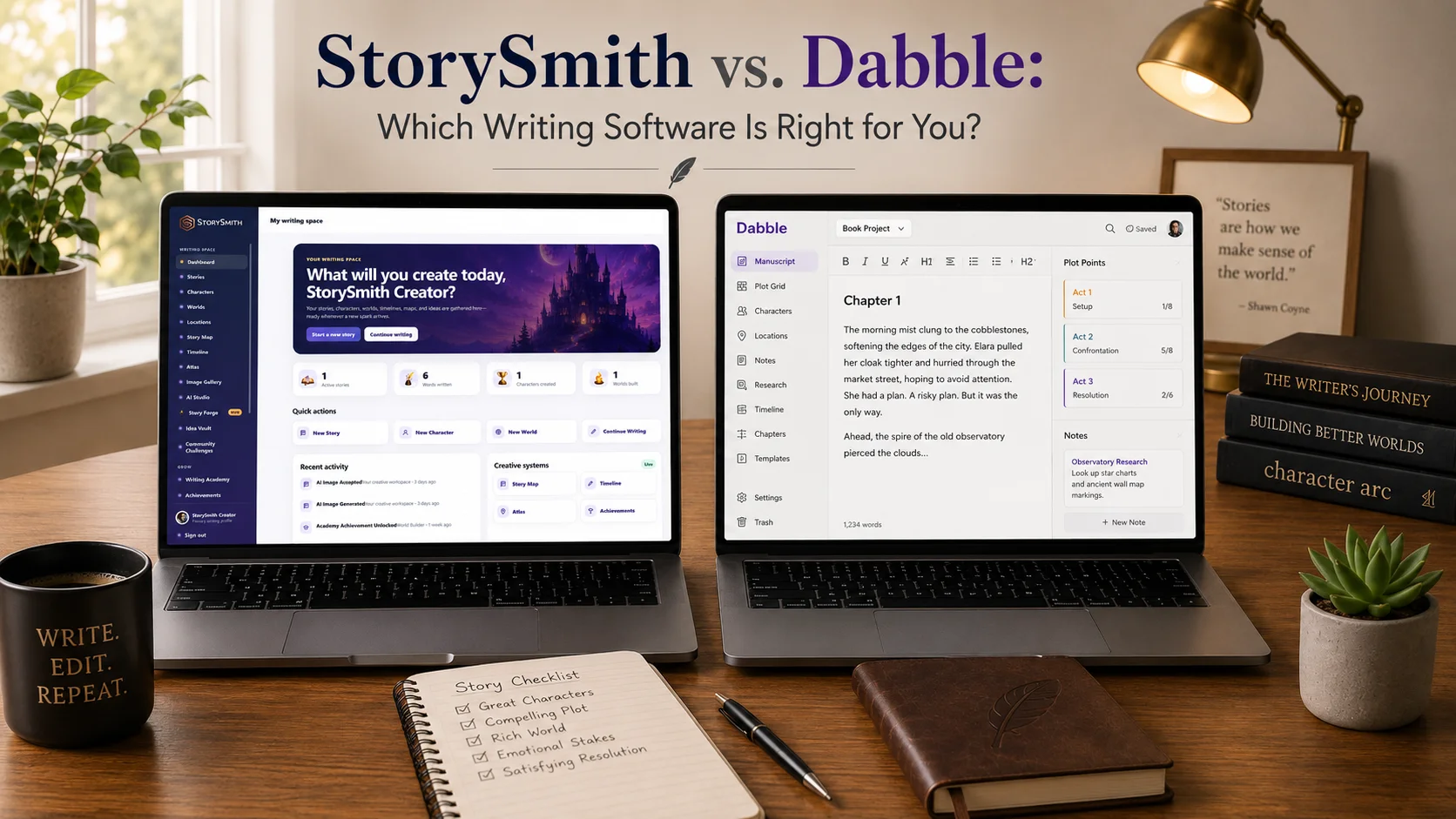
Choosing novel-writing software used to mean choosing where you wanted to type.
Today, writers expect much more.
You may want to organize chapters and scenes.
Track multiple plotlines.
Build characters.
Keep notes.
Collaborate with another writer.
Monitor your word count.
Catch grammar problems.
Build an entire fictional world.
Track timelines and locations.
And eventually turn the manuscript into something ready for publication.
Two writing platforms that approach this challenge in different ways are Dabble and StorySmith.
Dabble is an established novel-writing platform built around a streamlined manuscript workflow, Plot Grid, notes, editing tools, collaboration, and cloud-based writing.
StorySmith is a connected fiction-writing and worldbuilding environment that combines manuscript writing with structured characters, worlds, locations, maps, timelines, visual creation, AI-assisted writing support, continuity review, collaboration, and publishing preparation.
There is plenty of overlap.
But once you look past the basic feature checklist, the two platforms begin solving very different problems.
Let's compare them.
StorySmith and Dabble at a glance
Dabble may appeal most to writers who want:
- a clean novel-writing environment
- chapter and scene organization
- a visual Plot Grid
- Focus Mode
- writing goals and statistics
- ProWritingAid-powered grammar and style checking
- comments and track changes
- beta-reader and editor workflows
- real-time co-authoring
- version history
- cloud sync
- desktop and mobile access
- offline desktop writing
StorySmith may appeal most to writers who want:
- manuscript writing in a connected fiction workspace
- structured character development
- deep world and location development
- cultures, languages, beliefs, magic, abilities, and identity
- Story Map and Timeline planning
- interactive world maps
- AI-generated character and location imagery
- Quill Writing Assistant
- AI-assisted brainstorming and revision support
- manuscript review against characters, worlds, locations, timelines, and Story Map information
- character and continuity analysis
- collaboration connected to story assets
- publishing preparation and export tools
- family and parent-managed writing options
Both platforms are designed to help writers finish books.
The larger difference is what each platform considers part of the writing process.
1. Manuscript writing
Both StorySmith and Dabble provide dedicated environments for long-form fiction.
Dabble
Dabble organizes manuscripts into:
- books
- chapters
- scenes
Scenes can be dragged and reordered, while the manuscript remains organized in a navigation panel.
Dabble also includes Focus Mode, automatic cloud saving, word-count tools, goals, and writing statistics.
For writers primarily looking for a clean place to draft a novel, Dabble has a strong workflow.
StorySmith
StorySmith also provides chapter-based manuscript organization and a focused writing environment.
Writers can organize chapters, maintain story-wide and chapter-specific notes, track progress, use Focus Mode, and keep the manuscript connected directly to the rest of the creative project.
That surrounding context can include:
- characters
- worlds
- locations
- Timeline
- Story Map
- notes
- collaborators
- Quill Writing Assistant
The difference
Both platforms handle the basic job of writing a novel well.
Dabble emphasizes a clean, straightforward drafting workflow.
StorySmith places greater emphasis on keeping the manuscript surrounded by the structured story information that produced it.
2. Focus Mode
This is one area where both platforms now clearly overlap.
Dabble includes Focus Mode to reduce interface distractions while writing.
StorySmith also includes Focus Mode for writers who want the manuscript to take center stage.
That means Focus Mode is not really a major deciding factor between the two.
Both understand that sometimes a writer just needs the interface to get out of the way.
The more meaningful distinction is what remains available when you need to move beyond the blank page.
3. Plotting and story planning
Dabble's Plot Grid is one of its strongest features.
Dabble
The Plot Grid allows writers to organize story threads visually.
Plot lines form columns.
Plot points become cards.
A grid can exist independently for brainstorming or be linked directly to a book, allowing plot points to line up beside manuscript scenes.
That makes it particularly useful for:
- main plots
- subplots
- romances
- character arcs
- mysteries
- recurring story threads
Writers can also work with plot points while inside the manuscript.
For writers who love spreadsheet-style story planning, Dabble's Plot Grid is a polished and thoughtful system.
StorySmith
StorySmith takes a different visual-planning approach.
It includes both a Story Map and a Timeline.
Story Map allows writers to visually organize story elements and relationships between plot points.
Timeline allows events to be organized chronologically and connected with characters, locations, and story information.
These planning systems remain part of the same environment as the manuscript, characters, worlds, and locations.
Which approach is better?
If you specifically love a grid where individual plot threads line up beside manuscript scenes, Dabble has an excellent implementation.
If you prefer visual story mapping plus chronological timeline planning connected with broader story assets, StorySmith may suit your process better.
Neither is simply "better plotting."
They visualize stories differently.
4. Characters
This is where the products begin to separate more noticeably.
Dabble
Dabble includes character profiles as part of its Story Notes system.
That gives writers a place to organize character information and keep reference material within the project.
For many novels, that may be all a writer needs.
StorySmith
StorySmith treats Characters as their own structured creative assets.
A character can include information about:
- identity
- role
- appearance
- strengths
- weaknesses
- goals
- fears
- personality
- background
- relationships
- abilities and magic
- training
- limitations and consequences
- beliefs and values
- languages
- fluency
- dialects and accents
- cultural upbringing
- traditions
- social status
- relationship to homeland
Characters can also be connected to stories, locations, other characters, and the broader fictional world.
StorySmith can create character portraits and full-body visual references from the information the writer develops.
But the largest difference comes later.
The information stored in a StorySmith character profile can become context for reviewing the manuscript itself.
Why that matters
A character database is useful when you remember to look at it.
But large novels create an enormous amount of information to remember.
Perhaps a character:
- cannot speak a particular language
- fears abandonment
- refuses to use a certain magical ability
- follows a strict moral code
- has a complicated relationship with another character
- has a distinctive dialogue voice
Twenty chapters later, those details can become easy to forget.
StorySmith is designed so that character information can do more than sit in a reference profile.
It can help inform manuscript analysis.
That distinction becomes increasingly valuable as the cast grows.
5. Worldbuilding
Dabble and StorySmith differ considerably here.
Dabble
Dabble's Story Notes provide a flexible place for writers to store character information, worldbuilding lore, ideas, and other project reference material.
This keeps the information close to the manuscript and may work extremely well for writers who prefer a simpler notes-based system.
StorySmith
StorySmith contains dedicated World and Location systems.
At the World level, writers can develop information such as:
- climate
- geography
- cultures
- languages
- government
- population
- resources
- economy
- religions and beliefs
- magic and technology
- social structure
- traditions
- laws
- conflicts
- factions
- history
- myths and legends
- wars and disasters
- ancient secrets
- current tensions
Then StorySmith allows those ideas to become more localized through Locations.
A Location can define things such as:
- local cultures
- customs
- etiquette
- social expectations
- clothing
- cuisine
- festivals
- taboos
- primary languages
- dialects
- religious practices
- sacred areas
- local magical rules
- technological access
- restrictions
- artifacts
- dangerous areas
- how residents view those systems
Then Characters can carry their own identity, language, beliefs, culture, and abilities through those locations.
That creates a natural hierarchy:
World → Location → Character
Instead of treating a fictional world as one uniform culture, StorySmith allows writers to build regional differences and the characters shaped by them.
6. Maps and visual worldbuilding
This is another substantial difference.
Dabble focuses primarily on text-based writing, plotting, and notes.
StorySmith includes visual worldbuilding as part of the creative workflow.
Writers can:
- build Worlds
- create Locations
- generate world imagery
- generate location imagery
- place locations on an Atlas
- use the world map as a working story reference
- create character portraits and full-body images
These images do not have to become published illustrations.
They can function simply as creative reference material.
For writers who think visually, seeing a fictional place or character can inspire details that are difficult to discover from text alone.
7. AI assistance
This is one of the largest philosophical differences between Dabble and StorySmith.
Dabble deliberately does not center its writing experience around generative AI. Its paid editing tools use ProWritingAid-powered grammar and style checking, but Dabble's current help documentation explicitly distinguishes its subscription from paying for AI writing.
That may be appealing to writers who specifically do not want generative AI inside their writing software.
StorySmith takes another approach.
StorySmith
StorySmith includes Quill Writing Assistant as an optional creative assistant.
Quill can help with:
- brainstorming
- character development
- worldbuilding
- writer's block
- rewriting difficult passages
- grammar
- story questions
- revision
- character analysis
- continuity review
The philosophy is important.
Quill is designed to assist the writer, not replace the writer.
The goal is not:
"Generate my novel."
It is:
"Help me think through and strengthen the novel I'm writing."
That distinction matters for writers who want access to AI without turning authorship over to the software.
8. Story-aware manuscript review
This may be the single biggest difference between StorySmith and Dabble.
Most writing platforms help you store information about the story.
StorySmith can also use that information as context when helping you evaluate the manuscript.
Imagine a fantasy novel containing:
- thirty characters
- four kingdoms
- multiple languages
- several cultures
- competing religions
- magic systems
- dozens of locations
- hundreds of timeline events
- complicated relationships
- 120,000 words of manuscript
Keeping all of those pieces consistent becomes difficult.
A writer might remember the major details.
The smaller details are where continuity problems begin.
Character Analysis
StorySmith's Character Analysis can help review areas including:
- character motivation
- character consistency
- emotional arc
- dialogue voice
- relationship suggestions
- character utilization
- character arc progression
- character agency
- relationship continuity
- supporting-cast balance
Story consistency
StorySmith can also review the manuscript against:
- Characters
- Locations
- Worlds
- Timeline
- Story Map
That creates a feedback loop.
Build the character.
Write the character.
Review how the character is actually being used.
The same applies to locations and worldbuilding.
For example, StorySmith's structured context can help surface questions such as:
- Is a character speaking a language they were never established as knowing?
- Is an ability being used before the character acquired it?
- Has a character's motivation changed without development?
- Did an important supporting character quietly disappear?
- Is magic being used somewhere it has been established as forbidden?
- Is a location being described inconsistently?
- Does an event conflict with the established timeline?
- Is a relationship suddenly behaving differently without explanation?
- Is an established cultural or religious expectation being ignored?
These are suggestions for the writer to consider.
StorySmith does not automatically rewrite the manuscript.
The writer decides what, if anything, should change.
The underlying difference
Dabble gives writers strong tools for organizing manuscripts, plot information, character notes, and supporting material.
StorySmith is designed to let that structured creative information become part of the analysis of the manuscript itself.
For writers managing very large fictional universes, that can be a significant distinction.
9. Grammar and style checking
Dabble has an advantage here for writers specifically looking for a mature traditional prose-analysis engine.
Dabble's grammar and style checking is powered by ProWritingAid and operates directly inside Dabble.
That can provide writers with established grammar and style feedback without needing to move the manuscript elsewhere.
StorySmith approaches writing feedback through Quill.
Quill can help writers evaluate and improve passages, grammar, clarity, rewriting, story context, and broader creative concerns.
These approaches overlap, but they are not identical.
If deep traditional ProWritingAid-style prose analytics are one of your highest priorities, Dabble has a clear strength.
If you want your writing assistance to also understand characters, worlds, locations, timelines, and story context, StorySmith's approach offers a different kind of value.
10. Notes
Both platforms provide note systems.
Dabble
Dabble 3.0 includes:
- Story Notes
- Ideas
- Notebook
- Notes
- sticky notes
This gives writers several places to capture project material, reminders, research, and ideas.
StorySmith
StorySmith includes:
- Story Notes
- Chapter Notes
- World notes
- Location notes
- Character notes and structured data
The larger StorySmith philosophy is that information should live close to the creative object it describes.
A note about a Chapter can remain with that Chapter.
World information remains with the World.
Location information remains with the Location.
Character information remains with the Character.
That makes the information easier to incorporate into StorySmith's wider story context.
11. Collaboration
Dabble 3.0 substantially strengthened its collaboration features.
Dabble
Dabble now provides real-time co-authoring and four sharing roles:
- Co-Author
- Editor
- Reviewer
- Reader
It also includes:
- track changes
- threaded comments
- Review Copies
- beta-reader workflows
- editor workflows
That is a genuinely strong collaboration system.
StorySmith
StorySmith also supports collaboration within stories.
Writers can invite co-authors and collaborators, and shared story context can include the Characters, Worlds, Locations, and other creative assets tied to that story.
Story and Chapter Notes can also support communication during the writing process.
Which is better?
Dabble currently has a particularly polished manuscript-review workflow for editors and beta readers.
StorySmith's strength is connecting collaboration with the broader creative universe surrounding the manuscript.
Writers whose highest priority is track changes, formal editor review, and beta-reader workflows may strongly appreciate Dabble.
Writers collaborating on the development of an entire fictional world may find StorySmith's connected story assets particularly useful.
12. Version history
Dabble has a strong feature here.
Its Time Machine allows writers to scrub through previous project states, restore an earlier version, or bring a single document forward from the past.
Writers can also create named versions as checkpoints.
StorySmith also maintains version-history capabilities for writers working within the platform.
For anyone working on a long manuscript, version history is valuable because revision inevitably creates moments where a writer wants something back.
This is an area where both products recognize an important practical need.
13. Importing existing work
Both platforms recognize that writers may already have manuscripts elsewhere.
Dabble can import Word, Markdown, HTML, and RTF files, and its current importer can identify chapter and scene structure from uploaded manuscripts.
StorySmith supports bringing existing Word manuscripts into the writing environment, so writers do not necessarily need to begin a project from scratch.
Dabble currently offers the broader range of supported import formats.
14. Publishing preparation and export
Both platforms can help move a manuscript beyond drafting.
Dabble
Dabble 3.0 supports exports including:
- Word
- Web
- Markdown
- Google Docs
It can also output manuscript-oriented formatting for writers preparing work for agents, editors, or other workflows.
StorySmith
StorySmith includes Publisher Studio, which is designed around moving a finished manuscript toward book output.
That can include:
- publication readiness checks
- themes
- trim-size choices
- margin controls
- typography and layout settings
- PDF export
- DOCX export
- EPUB workflow
- KDP-oriented print PDF preparation
The difference
Dabble provides strong manuscript export and traditional submission-oriented workflows.
StorySmith places greater emphasis on helping the writer move from the creative project toward a formatted book and publishing workflow.
15. Access and offline writing
Dabble has an advantage for writers who specifically need offline writing.
Dabble works across browsers, desktop platforms, and mobile devices, with cloud synchronization between them. Its desktop software also supports offline writing.
StorySmith is a responsive web-based application.
That means writers can access StorySmith from an internet-connected:
- desktop
- laptop
- tablet
- smartphone
The full workspace follows the account rather than requiring a particular computer.
But if reliable offline drafting is a major requirement, Dabble currently has the advantage.
16. Writing education and families
StorySmith contains an entire area Dabble is not primarily designed around.
StorySmith includes a Writing Academy with guided learning, practice, milestones, badges, and certificates.
It also includes a Parent Dashboard for monitored younger writers, including controls around:
- AI use
- screen time
- activity
- creative access
That makes StorySmith usable not only as an author platform but also as a creative-learning environment for young writers and families.
Dabble is primarily positioned toward novelists rather than parent-managed young-writer accounts.
For most adult authors this distinction may not matter.
For families, homeschoolers, and younger writers, it can matter considerably.
17. Pricing
Pricing can change, so writers should always verify current pricing before choosing either platform.
As of September 2026, Dabble's public pricing page lists:
- Writer: $19/month
- Author: $29/month
- Bestseller: $49/month
- Lifetime Author: $699 one-time
Dabble also currently advertises a 14-day free trial with no credit card required.
StorySmith's Creator plan is positioned at a lower monthly entry price and includes monthly AI credits.
Because StorySmith's AI text, image generation, and manuscript-analysis features consume processing resources, AI operations use credits.
The pricing models therefore reflect different kinds of products.
Dabble primarily charges for access to progressively deeper writing and editing tools.
StorySmith combines the writing platform with optional AI-powered creative and analysis features.
StorySmith vs. Dabble feature comparison
| Feature | StorySmith | Dabble |
|---|---|---|
| Manuscript writing | Yes | Yes |
| Chapter organization | Yes | Yes |
| Scene organization | Yes | Yes |
| Focus Mode | Yes | Yes |
| Goals / progress tracking | Yes | Yes |
| Story notes | Yes | Yes |
| Chapter notes | Yes | Notes available through project tools |
| Plot planning | Story Map + Timeline | Plot Grid |
| Visual subplot grid | Story Map approach differs | Yes |
| Timeline | Dedicated Timeline | Plot Grid can track story threads; no equivalent dedicated StorySmith-style timeline |
| Dedicated character system | Yes | Character profiles / Story Notes |
| Detailed character abilities & identity | Yes | Can be stored in notes/profile fields |
| Character relationship system | Yes | Character/profile information available |
| Dedicated World Builder | Yes | Story Notes / custom supporting information |
| Dedicated Location Builder | Yes | Story Notes / supporting information |
| Regional cultures and customs | Structured Location data | Can be recorded in notes |
| Language / dialect tracking | Location + Character structured data | Can be recorded in notes |
| Religion / belief tracking | World + Location + Character structured data | Can be recorded in notes |
| Magic / ability tracking | World + Location + Character structured data | Can be recorded in notes |
| Interactive world Atlas | Yes | No integrated equivalent |
| AI character imagery | Yes | No |
| AI location/world imagery | Yes | No |
| AI writing assistant | Yes | No generative-AI writing assistant |
| AI brainstorming | Yes | No equivalent integrated generative assistant |
| Manuscript review against character profiles | Yes | No integrated equivalent |
| Character motivation review | Yes | No integrated equivalent |
| Character consistency review | Yes | No integrated equivalent |
| Character utilization review | Yes | No integrated equivalent |
| Character agency review | Yes | No integrated equivalent |
| Relationship continuity review | Yes | No integrated equivalent |
| Supporting-cast balance review | Yes | No integrated equivalent |
| Manuscript review against locations | Yes | No integrated equivalent |
| Manuscript review against world details | Yes | No integrated equivalent |
| Manuscript review against Timeline | Yes | No integrated equivalent |
| Manuscript review against Story Map | Yes | No integrated equivalent |
| Broader continuity review | Yes | Manual/reference-based workflow |
| Grammar/style checking | Quill assistance | ProWritingAid-powered checks |
| Read aloud | Not a central feature | Yes |
| Real-time co-authoring | Yes | Yes |
| Comments | Story/chapter notes and collaboration tools | Yes |
| Track changes | Version/revision workflow | Yes |
| Beta-reader workflow | Collaboration/sharing workflow | Dedicated Review Copies |
| Version history | Yes | Yes, Time Machine |
| Word import | Yes | Yes |
| Additional import formats | Limited compared with Dabble | DOCX, Markdown, HTML, RTF |
| PDF export | Yes | Manuscript/export workflows |
| DOCX export | Yes | Yes |
| EPUB workflow | Yes | Not a primary current export listed in Dabble 3.0 |
| KDP-oriented print preparation | Yes | Not a central workflow |
| Publisher preparation | Publisher Studio | Manuscript formatting/export |
| Browser access | Yes | Yes |
| Desktop application | Responsive web app | Yes |
| Mobile access | Responsive web app | Installable/mobile access |
| Offline writing | No | Yes |
| Writing Academy | Yes | Educational resources exist separately |
| Family / parent controls | Yes | No equivalent core feature |
Where Dabble is especially strong
Dabble may be the better choice if your priorities include:
- a clean drafting-first novel-writing environment
- Dabble's Plot Grid
- ProWritingAid-powered grammar and style analysis
- formal track-changes workflows
- dedicated beta-reader Review Copies
- Read-to-Me
- extensive import-format support
- native/installable desktop and mobile experiences
- offline writing
- a mature traditional novel-writing workflow without integrated generative AI
Those are meaningful strengths.
Dabble 3.0 in particular has become substantially more capable in collaboration and revision than older comparisons may suggest.
Where StorySmith is especially strong
StorySmith may be the better choice if you want:
- manuscript writing connected directly to the rest of your fictional universe
- structured characters rather than primarily character notes
- dedicated Worlds
- dedicated Locations
- cultures and regional differences
- languages and dialects
- religion and belief information
- magic systems and individual abilities
- visual character creation
- visual world and location creation
- interactive Atlas mapping
- Story Map
- Timeline
- Quill Writing Assistant
- AI-assisted creative brainstorming
- story-aware character analysis
- manuscript review against structured characters
- manuscript review against Worlds and Locations
- manuscript review against Timeline and Story Map
- continuity checking using information you already created
- publishing preparation through Publisher Studio
- KDP-oriented workflows
- Writing Academy
- family and parent-managed controls
The more complicated the fictional universe becomes, the more StorySmith's connected architecture begins to matter.
Is StorySmith a Dabble alternative?
Yes.
But the products are not simply interchangeable versions of the same thing.
Dabble's central strength is helping novelists plan, draft, edit, collaborate on, and finish manuscripts in a clean writing environment.
StorySmith asks a broader question:
What if the characters, worlds, locations, cultures, maps, timelines, and story plans you build could remain connected to the manuscript and help you improve it later?
That difference becomes especially important for fantasy, science fiction, mystery series, historical fiction, multi-book projects, and any story with a large amount of continuity to maintain.
Don't compare them by counting checkmarks
This is particularly important with StorySmith and Dabble because both can technically claim many of the same categories.
Consider:
Characters: Yes
Dabble can store character profiles and notes.
StorySmith can store structured character information covering identity, relationships, abilities, beliefs, language, culture, appearance, motivations, and more.
Then StorySmith can use that information as context for Character Analysis and manuscript review.
The checkbox says the same thing.
The workflow does not.
Or consider:
Plotting: Yes
Dabble's Plot Grid gives writers a spreadsheet-style view of plot lines and scenes.
StorySmith's Story Map and Timeline give writers different visual ways to understand story structure, chronology, characters, events, and locations.
Again:
same checkbox.
Different experience.
The question should not be:
"Does it have plotting?"
It should be:
"Does this plotting system match the way I think?"
And with StorySmith:
"What happens to the information after I create it?"
That last question matters.
Which should you choose?
If your priority is a streamlined writing experience with a particularly strong Plot Grid, ProWritingAid integration, formal editing workflows, offline writing, and beta-reader tools:
Dabble deserves serious consideration.
If you want manuscript writing plus deep structured worldbuilding, characters, locations, visual creation, maps, timelines, story-aware AI assistance, continuity review, and publishing preparation:
StorySmith may be the stronger fit.
Do you want ProWritingAid's established grammar and style checking built directly into the editor?
Dabble.
Do you want Quill to look at the character you created and help evaluate whether you're actually writing that character consistently?
StorySmith.
Do you want a polished scene-linked Plot Grid?
Dabble.
Do you want both a visual Story Map and dedicated Timeline connected to the larger fictional universe?
StorySmith.
Do you need offline writing?
Dabble.
Do you want AI-generated character, world, and location reference imagery?
StorySmith.
Do you want dedicated Review Copies for beta readers and editors?
Dabble.
Do you want your manuscript reviewed against your Characters, Locations, Worlds, Timeline, and Story Map?
StorySmith.
There does not have to be one winner for every writer.
There needs to be a winner for the way you write.
Final thoughts
Dabble is a strong novel-writing application.
Its clean manuscript environment, Plot Grid, cloud sync, goals, Focus Mode, ProWritingAid-powered editing, real-time collaboration, version history, track changes, and beta-reader workflows make it a serious tool for authors.
StorySmith takes a different approach.
It treats the manuscript as one part of a much larger creative system.
The characters matter.
The locations matter.
The world matters.
The languages, cultures, beliefs, abilities, relationships, maps, timelines, and history matter.
And as a novel grows, remembering all of those details becomes increasingly difficult.
That is where StorySmith's philosophy becomes especially important.
The information you create should not simply sit somewhere waiting for you to remember to look at it.
It should remain useful.
StorySmith allows those creative assets to become context for planning, collaboration, Quill, character analysis, and continuity review.
That creates a loop:
Build the story.
Write the story.
Review the story against what you built.
Strengthen the story.
Dabble gives novelists a strong place to plan and write.
StorySmith is designed to give the entire story a connected place to live.
Which approach is right for you depends on what you want your writing software to do after you've finished filling in the character profile, building the world, and planning the plot.
Because the real test of writing software isn't how much information it lets you enter.
It's how much that information helps you when you're actually writing the book.