Children have access to more technology than any generation before them.
They can stream videos, scroll through endless feeds, play games, chat with AI, and consume enormous amounts of digital content almost instantly.
But technology can do something else too.
It can help children create.
A good creative writing tool can turn a computer or tablet into a place where a child develops characters, invents worlds, writes stories, explores ideas, learns how language works, and discovers that something from their imagination can become something real.
For parents, however, choosing the right writing software for kids involves more than finding an app with a colorful interface.
The better question is:
What kind of relationship with technology is this tool teaching my child to have?
Is the child creating?
Or mostly consuming?
Is technology supporting their imagination?
Or replacing it?
Can parents understand and control what the child is able to do?
And does the platform actually help the child grow as a writer?
Those questions matter.
Here are some of the most important things parents should look for when choosing creative writing tools for kids.
1. The child should be doing the creating
This may be the most important consideration of all.
A writing platform should encourage children to imagine, decide, experiment, and write.
Technology can help.
It can provide prompts.
It can ask questions.
It can explain concepts.
It can help a child when they get stuck.
But there is a major difference between a tool that helps a child tell a story and one that simply generates the story for them.
If a child types:
“Write me a story about a dragon.”
and receives an entire finished story, they may have received entertainment.
But they have not necessarily practiced storytelling.
A better creative tool encourages questions like:
- What is your dragon afraid of?
- Where does the dragon live?
- What does your main character want?
- What problem happens in the story?
- What would make this world different from our own?
- What happens if the character makes the wrong choice?
Those questions invite the child to create.
The goal should be to make technology a tool for imagination rather than a substitute for imagination.
2. Look for tools that grow with the child
Children's writing abilities change quickly.
A younger child may begin with:
- simple characters
- short stories
- imaginative descriptions
- basic scenes
An older child may begin exploring:
- longer fiction
- chapter organization
- character development
- worldbuilding
- plot structure
- dialogue
- revision
That means the best writing tools for kids should not feel useful for only a few months.
Ideally, a child should be able to grow into the platform.
A young writer might start by creating a character and writing a short adventure.
Later, that same writer may create a complete world, build multiple characters, organize chapters, track story events, and eventually finish a book.
A tool that grows with the writer gives children room to develop rather than forcing them to start over with an entirely different system every time their skills improve.
3. AI should be optional and age-appropriate
Artificial intelligence can be genuinely useful for young writers.
It can help explain grammar.
It can offer brainstorming questions.
It can help a child think through a character.
It can suggest possibilities when the child feels stuck.
But parents should have a say in how much AI is involved.
Not every parent wants the same experience for their child.
Some may be comfortable with AI brainstorming but not AI-generated images.
Others may want writing assistance available only during certain activities.
Some may prefer little or no AI use at all.
That is why parents should look for platforms where AI is a controllable feature rather than an unavoidable part of the experience.
Good questions to ask include:
- Can AI features be turned off?
- Can different types of AI assistance be controlled separately?
- Is the AI designed to help the child think rather than simply generate finished work?
- Can parents limit how much AI is used?
- Does the child remain responsible for the creative decisions?
Technology should support the family's expectations, not force the family to adapt to the technology.
4. Parents should have meaningful controls
Children and adults do not need identical online experiences.
A good family writing platform should recognize that.
Parent controls can help families create boundaries that fit the child's age, maturity, and needs.
Useful controls may include the ability to manage:
- AI writing assistance
- AI brainstorming
- image generation
- community access
- public sharing
- usage limits
- writing schedules
- available credits or resources
This does not mean children need constant surveillance.
It means parents should have tools for creating an environment they are comfortable with.
A writing application intended for children should not treat parental involvement as an afterthought.
5. Look for creation instead of endless engagement
Many digital platforms are designed around one goal:
Keep the user on the screen as long as possible.
That usually means:
- endless feeds
- autoplay
- notifications
- streaks
- constant recommendations
- rapid rewards
- endless scrolling
Creative writing works differently.
Writing requires thought.
Sometimes it requires silence.
Sometimes a child needs to stare at a sentence for a while.
Sometimes the best thing technology can do is stop demanding attention and let the child think.
Parents should consider whether a platform is designed primarily to maximize screen time or to help the child accomplish something.
There is an important difference between:
“How long did my child use the computer?”
and:
“What did my child make while using the computer?”
A forty-minute writing session that produces a new character, a scene, or a chapter can be much more meaningful than hours spent passively scrolling.
6. Writing tools should teach, not just correct
Spellcheck is useful.
Grammar correction is useful.
But young writers need more than red underlines.
The best educational writing tools help children understand why something works.
Instead of simply correcting a sentence, a writing assistant might help explain:
- why punctuation belongs somewhere
- how dialogue is formatted
- why a sentence is difficult to understand
- how stronger verbs change a paragraph
- what makes a character motivation believable
- how a story needs conflict
- why a scene may feel too fast or too slow
That turns mistakes into learning opportunities.
If software silently fixes everything, a child may end up with a cleaner story without becoming a stronger writer.
A good writing tool should help produce both.
7. Story planning should feel creative
Planning a story should not feel like filling out tax forms.
Children often engage more deeply when planning is visual, imaginative, and connected to the story they are excited about.
Useful features might include:
- character profiles
- world creation
- locations
- maps
- timelines
- story notes
- chapter planning
- visual references
These tools help a child see that stories are made from connected pieces.
A place can affect a character.
A past event can cause a present conflict.
A character's fear can shape a decision.
A timeline can reveal why something happens.
That teaches storytelling in a much more natural way than simply memorizing literary terms.
8. Visual creativity can help young writers
Some children think very visually.
They may understand a character better after seeing that character.
They may become more excited about a fictional world after seeing a representation of it.
They may discover new ideas from a map.
Visual tools can help children turn abstract ideas into something more concrete.
For example, a child might create:
- a character portrait
- a fictional location
- a world map
- a castle
- a creature
- a village
- a visual reference for a scene
That image can then inspire more writing.
The important thing is that the visual element supports the story rather than replacing it.
The image becomes another tool in the creative process.
9. The child should be able to keep their work
Children can become deeply attached to the things they create.
A story they write at ten years old may still matter to them years later.
Parents should therefore consider what happens to a child's work inside a platform.
Can it be exported?
Can the family save a copy?
Can the story eventually become a document or book?
The child's writing should not feel trapped inside an application.
Export options may include:
- Word documents
- printable formats
- book-style layouts
There is something powerful about showing a child:
“You made this.”
Not just on a screen.
But as a document, printed story, or eventually even a finished book.
Creation feels different when the result can exist beyond the app where it began.
10. Privacy and sharing should be separate decisions
Creating something does not automatically mean publishing it.
Children should be able to write privately.
Parents should be able to decide when and whether a child's work becomes public.
That distinction is especially important for young writers.
A platform might provide opportunities for:
- writing communities
- challenges
- showcases
- sharing
Those can be positive experiences when handled carefully.
But participation should be intentional.
Parents should look for tools that allow private creation without requiring public exposure.
A child should be able to experience the joy of writing without also being pushed into broadcasting everything they make.
11. Healthy boundaries should be possible
Even productive screen time is still screen time.
Different families have different rules around technology.
Some children may write freely whenever they choose.
Others may have specific computer hours.
Families homeschooling may want writing tools available during school hours but restricted later.
A platform designed for families can support those decisions by allowing parents to create reasonable boundaries.
For example:
- certain days of the week
- specific writing hours
- daily usage boundaries
- resource limits
The purpose should not be to punish children for writing.
It should be to make the technology fit into the family's life rather than allowing the technology to dictate the family's routines.
12. Look for tools that make children proud to create
One of the most powerful things a writing platform can do is help a child see themselves differently.
A child who says:
“I made up a story.”
may eventually begin saying:
“I'm writing a book.”
A child who creates a world may begin thinking of themselves as a worldbuilder.
A child who finishes their first chapter may begin thinking of themselves as a writer.
Those identities matter.
When children experience the satisfaction of turning imagination into something tangible, creativity stops feeling like an abstract school assignment.
It becomes something they own.
That is why creative writing tools should celebrate the act of creation—not simply correctness, scores, or completion.
What about homeschool families?
Creative writing software can also be particularly useful in a homeschool environment.
Writing naturally combines many different skills:
- spelling
- grammar
- vocabulary
- reading comprehension
- planning
- critical thinking
- communication
- creativity
- revision
A single story project can touch all of them.
A child might research geography while building a fictional world.
They may learn history while designing a kingdom.
They may practice persuasive writing through a character's speech.
They may learn editing while revising a chapter.
They may practice sequencing while building a timeline.
Creative writing can therefore become much more than an isolated language arts exercise.
It can become a framework for learning.
Parents should still choose tools that fit their curriculum and educational goals, but technology can make long-term creative projects easier to organize and more engaging for young writers.
Questions parents should ask before choosing a writing app for kids
Before signing a child up for a creative writing platform, consider asking:
- Does this platform encourage my child to create?
- Does it teach skills or simply generate answers?
- Can I control AI features?
- Can I control public sharing or community participation?
- Can my child write privately?
- Can I establish reasonable usage boundaries?
- Can my child export and keep their work?
- Does the platform support longer-term projects?
- Can it grow with my child's ability?
- Does it help my child become more independent as a writer?
- Will my child spend their time creating something meaningful?
The best platform is not necessarily the one with the most features.
It is the one whose features support the kind of creative experience you want your child to have.
Where StorySmith fits
StorySmith was built around a simple belief:
Technology can be used to consume—or it can be used to create.
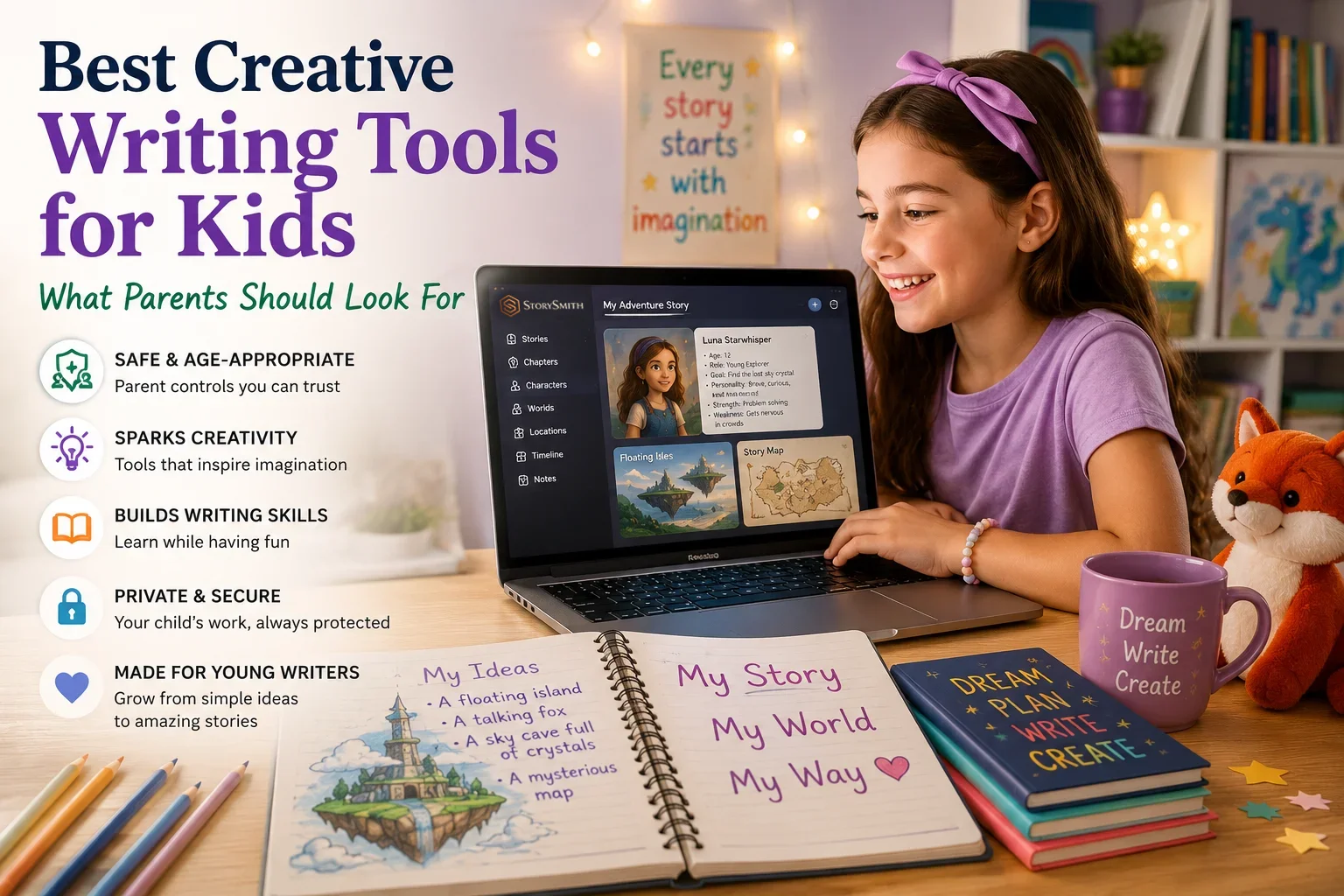
For young writers and families, StorySmith provides a space where children can develop stories, create characters, build worlds and locations, organize ideas, work with timelines and maps, and turn their imagination into written projects.
Families can also use parent-managed controls to decide how younger writers interact with different parts of the platform.
Parents can control access to features such as:
- AI writing assistance
- AI image generation
- AI brainstorming and prompts
- community and writing challenges
- public showcase submissions
Families can also establish writing-time restrictions and AI credit limits to create boundaries appropriate for their child.
The goal is not to replace a child's imagination with artificial intelligence.
It is to give that imagination a workshop.
StorySmith's AI writing coach can help young writers think through ideas, explore characters, understand writing problems, and find their next step while keeping the child at the center of the creative process.
Children need more opportunities to create
Children are growing up surrounded by technology designed to capture their attention.
That reality is unlikely to disappear.
The question is what else we can invite them to do with the same technology.
They can scroll.
They can watch.
They can click.
They can consume.
But they can also:
- imagine a hero
- invent a kingdom
- draw a map
- create a creature
- solve a mystery
- write a chapter
- finish a story
Technology does not have to eliminate imagination.
Used well, it can give imagination new places to go.
Final thoughts
The best creative writing tools for kids are not simply miniature versions of adult writing software.
They should help children grow.
They should encourage curiosity.
They should make creativity feel exciting.
They should give parents meaningful control.
They should help children learn without doing all of the thinking for them.
And most importantly, they should leave the child with something they can point to and say:
“I created that.”
That feeling is worth protecting.
Because a child who discovers the joy of creating stories may not simply become a better writer.
They may become someone who realizes their ideas are worth exploring.
And that can stay with them for the rest of their life.